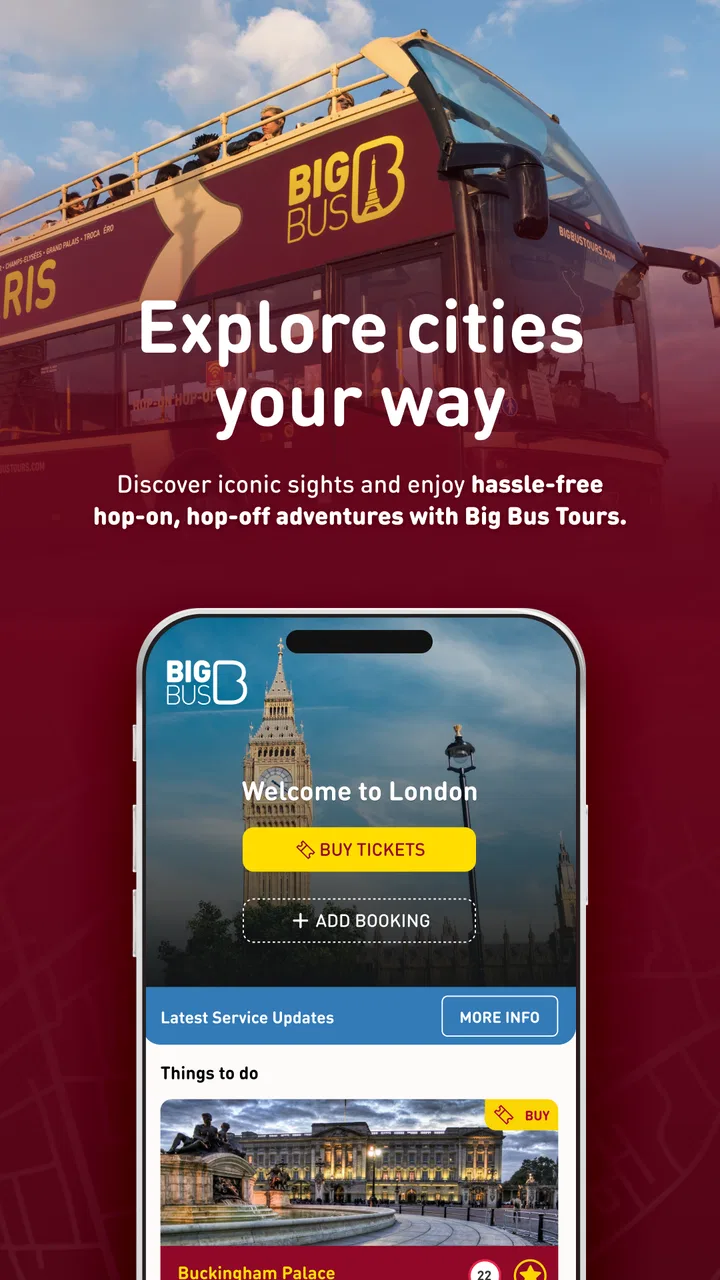
Big Bus Tours: Hop On, Hop Off
- 4.3
- Rating
- 1.00M
- Installs
- Free
- Price

 Analysis by App-foxy
I found Big Bus Tours most useful when I treated it as a practical companion for a sightseeing day rather than as a complete travel planner. It brings the tour network, route maps, ticket access, bus tracking, service alerts, and nearby attractions into one place, which saves me from jumping between a map app, a browser, and a paper confirmation. The experience is especially convenient when I already know I want a Big Bus sightseeing route and need to make sensible decisions while I am out walking.
Developed by BIG BUS TOURS LTD, this free Travel & Local app is aimed at visitors who want to organize a hop-on hop-off day with less guesswork. It is available to an Everyone audience, runs on Android 7.0 or later, and the current version is 6.2.1. The app has been around since February 18, 2013, and its long presence is reflected in a 4.4 average from around 6.3 thousand ratings, alongside more than 1 million installs.
How I use Big Bus Tours during a real sightseeing day
I use the app as a sequence of small decisions rather than a minute-by-minute itinerary: choose a starting stop, check the bus before setting off, and reassess after each visit. That approach leaves room for an attraction to take longer than expected without making the whole day feel off track. Next, I’ll look at how a few early checks can prevent avoidable snags once I’m away from the hotel.
You May Also Like

 Blood Strike: 2.5 Anniversary
Blood Strike’s Loadouts Turn Every Drop Into a Tactical Gamble
A close look at Blood Strike’s custom loadouts: how fast access to signature weapons reshapes its battle royale rhythm, rewards preparation, and narrows the gap between fights.

 Pandora - Music & Podcasts
Pandora’s Music Is Easy to Start, but Harder to Recover
Pandora’s strength is its low-effort path from a seed to a station. Its weak spot is how much confidence it asks you to place in connection, setup, and quiet recovery.

 8 Ball Pool
 Is Built on Rivalries, Rematches, and Routine
A close look at the rivalries, rematches, shared routines, and unanswered safety questions that turn a quick pool match into a persistent mobile community.

 Samsung Music
’s Quiet Strength Is Playing What You Already Own
Its reach comes less from spectacle than from dependable access to a personal library. That simplicity is both the app’s strongest retention engine and its ceiling.

 AccuWeather: Weather Radar
AccuWeather Review: A Quick, Clear Forecast for Everyday Decisions
For everyday plans, the best forecast is the one you can understand quickly. AccuWeather makes rain timing, radar, and local conditions easy to act on, with a few trade-offs.

 Hill Climb Racing
Why Hill Climb Racing Still Turns Crashes Into One More Run
A tiny car, a bumpy hill and one more upgrade: Hill Climb Racing keeps resurfacing because its simple chaos makes every near-miss feel personal.
More From Our News Desk



Starting with the route instead of the attractions
My most reliable routine begins before I leave the hotel. I open the app, look at the available route information, and identify the stops closest to where I am staying or where I expect to begin. That sounds obvious, but it prevents a common mistake: choosing an attraction first and only later realizing that reaching it requires an awkward walk or a ride across town.
The map is more useful when I read it as a sequence rather than as a collection of points. I check which stops sit near the places I actually want to see, then consider where I might get off for a longer visit. This helps me avoid planning too many stops into a single day. A hop-on hop-off service feels flexible, but walking between stops, waiting for a bus, and exploring each attraction still takes time.
I also check the live bus view before leaving a stop. The real-time tracking is not a replacement for common sense, but it gives me a better basis for deciding whether to keep waiting, walk toward another stop, or spend a few more minutes inside a nearby café or attraction. The app works best when I use its live information to adjust a plan, not to create an unrealistic timetable.
A practical example from morning to evening
Imagine arriving in a city in the morning with a ticket already purchased. I would first open the ticket area, confirm that I can access what I need, and then use the map to locate a convenient boarding point. Once on the bus, I would keep the route view available while deciding which stop should be my first longer break.
At the first attraction, I would check the next bus position before leaving the stop area. If a bus is approaching, I can finish my visit at a natural point and return without unnecessary waiting. If the next vehicle is farther away, I can take more time inside or walk to another mapped stop. This small habit makes the day feel less like a series of guesses.
Later, I might use the attractions section to choose a nearby second stop rather than crossing the city for something unrelated. That is one of the app’s quieter strengths: it encourages a route-based day. I still make the final choice, but the combination of maps and attraction information helps me group activities geographically.
Keeping tickets and alerts in the same workflow
Having ticket access inside the same app as the route map is convenient because I do not need to search through email while standing at a boarding point. I prefer opening the ticket before I reach the bus, especially when my phone connection may be busy or unreliable in a crowded area. It is a simple preparation step, but it removes avoidable pressure.
Alerts deserve equal attention. I do not assume that a route will operate exactly as expected just because it did on a previous visit. I check for notices before setting out and again when making a major change to my plan. A service alert can affect the value of an entire itinerary, so seeing it early is more useful than discovering it after walking to a stop.
This is also where the app differs from a general map application. A standard map is usually better for comparing walking routes, public transport, and independent attractions across a whole city. Big Bus Tours is more focused: it gives me information connected to the sightseeing service itself. I would use both, but I would not expect one to fully replace the other.
What I check before relying on it
I make sure the app is installed and opened before the sightseeing day, rather than downloading it at the first stop. I look at the maps, open the ticket section, and become familiar with the alert area while I still have time to troubleshoot. This is particularly helpful for travelers who are not comfortable navigating unfamiliar apps in a busy street.
I also keep a mental backup plan. A live tracker can help me make a better decision, but it cannot guarantee that my preferred bus will arrive at exactly the moment I want. If I have a timed reservation elsewhere, I leave extra room instead of building the entire day around the next vehicle shown on the screen.
Settings and habits worth checking
The most valuable “settings” are often the choices I make around the app rather than obscure controls. I check whether notifications are enabled on my device so that service alerts can reach me when I am not actively looking at the screen. I also review the app’s access and notification behavior before the trip, because an alert is only useful if my phone allows it to appear.
I keep location access under my own control and use the map deliberately. When I am trying to locate a nearby stop, location assistance can reduce confusion. When I already know where I am, I do not need to leave every map-related option active simply out of habit. The important point is to use the tool that solves the immediate problem instead of leaving the app open continuously.
Battery management is another practical consideration. Live tracking and constant screen use can consume power during a long day. I usually check the route, note the relevant stop, and lock the phone while walking. I then reopen the app when I need a fresh bus position or an alert. Carrying a small charger is sensible for any full day of navigation, not just for this app.
I also make sure the phone can display the ticket clearly. Increasing screen brightness temporarily, cleaning up distracting notifications, and opening the ticket before boarding are small actions that make the experience smoother. None of these changes add a new feature, but together they make the app much easier to use in sunlight or around a crowded boarding area.
Faster patterns for repeat users
After using the app a few times, I stop browsing every route from the beginning. I focus on three decisions: where I am now, which stop serves my next attraction, and whether the next bus makes waiting worthwhile. That narrower workflow is faster than repeatedly exploring the entire map.
Another useful pattern is to choose a “decision stop” for each part of the day. Instead of trying to plan every boarding point, I select one place where I will reassess the route after visiting an attraction. At that point I check the live bus view, read any alert, and decide whether to continue, walk, or change the order of my stops. This keeps the itinerary flexible without making it vague.
I also avoid switching between route lines too casually. If a transfer or a change of direction is not clearly beneficial, staying with the current route may be less stressful than chasing a theoretically faster option. The app can show useful information, but I still need to account for walking time, unfamiliar streets, and the time spent finding the correct boarding side.
For families, I would simplify the plan even further. Pick a small number of stops, use the attraction information to choose places with genuine interest for everyone, and treat the tracker as a way to reduce waiting rather than as a reason to hurry. Children and older travelers often benefit more from fewer transitions than from squeezing in every possible landmark.
For solo travelers, the app supports a more spontaneous style. I can get off when something catches my attention, inspect nearby attractions, and return to the route when I am ready. The trade-off is that spontaneity works best when I keep checking alerts and bus positions. Without those checks, an unplanned stop can turn into a long wait or a rushed final part of the day.
Where the app is genuinely strong
The strongest part of Big Bus Tours is the connection between physical movement and tour information. A map alone tells me where places are. A ticket alone proves that I have access. A tracker alone shows movement. Here, those pieces support one another, so I can make a decision based on the route, my ticket, the next bus, and the attraction I want to visit.
The app is also more helpful once I am already committed to the Big Bus service. I do not have to reconstruct the tour network through unrelated search results, and alerts are more relevant than the broad traffic notices I might see in a general navigation tool. That focus is a benefit for visitors who want sightseeing structure without booking a fully guided walking tour.
Its free price makes it easy to install before deciding how heavily to use it. I can explore the interface and understand the route workflow without paying for the app itself. The important distinction is that the app is a companion to the tour product, not a universal free replacement for every transport or attraction service in a city.
Advanced limits and moments when I would choose something else
I would not use this as my only navigation tool for a city break. If my main goal is finding the fastest public transport connection, comparing walking routes, or reaching a neighborhood outside the sightseeing network, a general map or transit app is likely to be more useful. Big Bus Tours is strongest inside its own tour context.
I would also be cautious about using it for a tightly timed itinerary. Live tracking can improve awareness, but sightseeing buses operate in real-world conditions. Traffic, crowded stops, and time spent boarding can all affect the day. If I have a restaurant booking, train departure, or timed entry that cannot be missed, I build a generous buffer and use another navigation source for the final connection.
The attraction information is helpful for choosing what to see near a route, but I would still investigate opening arrangements and personal priorities separately before committing to a full schedule. The app can point me toward an appealing stop; it does not remove the need to think about how long I want to spend there or whether it fits with the rest of my day.
There is also a natural dependence on the phone. A dead battery, poor connectivity, or a ticket that has not been opened in advance can make a simple boarding moment more awkward. I reduce that risk by preparing early, keeping the device charged, and remembering the broad route rather than relying on the screen for every step.
Some travelers may find the app unnecessary if they already have a printed itinerary and are happy to wait at marked stops. That approach can work for a relaxed day, especially when the route is familiar. The app becomes more valuable when plans change, when I want to reduce waiting, or when I need alerts and ticket access in one place.
Who should install it
I recommend it to visitors who have bought or are seriously considering a Big Bus sightseeing ticket, especially first-time users who want a clearer view of stops and nearby attractions. It is also a good fit for travelers who dislike rigid tours but still want a structured way to move between major sights.
It suits couples and families who need to coordinate several stops, solo travelers who want to explore at their own pace, and anyone who prefers checking a live bus position instead of standing at a stop without information. The Everyone age rating also makes it straightforward to consider for a shared family travel device.
I would skip it as a primary download if I am only looking for independent city navigation, local rail information, or a broad directory of restaurants and attractions. In that situation, a general travel app will cover more ground. I would still install this one if a Big Bus route becomes part of the plan, because its focused information is more useful than trying to recreate the service through unrelated tools.
My final view after using its full workflow
Big Bus Tours is a focused travel companion that earns its place on my phone when I am taking a Big Bus sightseeing route. Its value is not just that it displays a map; it helps connect the map with tickets, bus movement, alerts, and nearby places worth considering. The best results come from using those parts in a repeatable routine: check the route before leaving, prepare the ticket, watch alerts, verify the next bus, and reassess at sensible points during the day.
I would not mistake it for a complete city guide or a guaranteed timetable. It cannot replace independent navigation, careful time planning, or a backup when an important appointment is involved. Still, for the specific problem of managing a hop-on hop-off sightseeing day, it is more practical than relying on paper notes and a general map alone.
With over 1 million installs and a 4.4 average, it has clearly found an audience, but my recommendation is based less on those figures than on how well the workflow fits the service. If Big Bus is part of your itinerary, the free app is worth preparing before you leave the hotel. If it is not, there is little reason to keep it as your main travel tool. For the right traveler, the real advantage is calmer decision-making between stops, not simply having another map on the phone.
FAQs for Big Bus Tours: Hop On, Hop Off
01What features does the Big Bus Tours app offer?
The Big Bus Tours app provides a comprehensive guide to all available tours, real-time bus tracking, and interactive maps. It offers detailed information on stops, landmarks, and attractions. Users can buy tickets within the app, access exclusive offers, and receive notifications about tour updates or changes.
02Is the Big Bus Tours app available for both Android and iOS?
Yes, the Big Bus Tours app is available for both Android and iOS devices. You can download it from the Google Play Store for Android devices and the Apple App Store for iOS devices. Make sure your device meets the minimum operating system requirements for a seamless experience.
03Can I purchase tickets through the Big Bus Tours app?
Absolutely, the app allows users to conveniently purchase tickets directly through the platform. The process is secure and straightforward, offering various payment options. Once purchased, digital tickets are stored in the app and can be presented to board the bus without needing a printed version.
04How does real-time bus tracking work in the Big Bus Tours app?
The app uses GPS technology to provide real-time tracking of buses on your chosen route. This feature allows you to see exactly where your bus is along its route, estimate arrival times at your stop, and plan your journey with ease, enhancing your overall sightseeing experience.
05Are there any exclusive offers available through the Big Bus Tours app?
Yes, the app often features exclusive offers and discounts that are not available elsewhere. These can include special rates on tickets, bundled deals with local attractions, or seasonal promotions. It’s recommended to check the app regularly to take advantage of these unique opportunities.
Pros
- User-friendly interface with easy navigation.
- Real-time bus tracking for accurate planning.
- Multiple languages available for audio guides.
- Offers offline maps for data-free exploration.
- Customizable tour options to suit preferences.
Cons
- Requires stable internet for real-time updates.
- Audio guide quality varies by language.
- Limited customization for tour routes.
- Can be pricey compared to local transport.
- Occasional delays in bus schedules.

Big Bus Tours: Hop On, Hop Off
Gallery